How to use Fushion
Everything you need to get your nocode directory live — from setup to deployment.
Getting Started
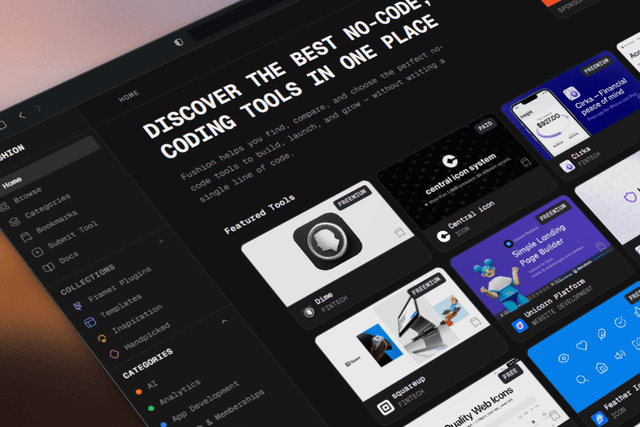
Fushion is a nocode directory template. Clone it, run the setup script, and you have a fully working directory with your own tools data.
# clone and install
git clone <your-repo>
cd fushion
npm install
Setup Script
Run the setup script once. It handles everything — database schema, pulling your tools data locally, and generating your environment variables.
npm run setup
The script will:
- Check your Wrangler login (prompts login if needed)
- Ask for your Cloudflare D1 database name
- Apply the SQL schema to your database
- Pull approved tools into
lib/tools-data.json - Generate
.env.localwith secure JWT secrets
Re-run anytime to refresh your tools data from D1.
Database
Fushion uses Cloudflare D1 (SQLite). The schema lives in sql/schema.sql and is applied automatically by the setup script.
# apply schema manually
npx wrangler d1 execute your-db --remote --file=sql/schema.sql
Tables:
usersRegistered users with hashed passwordstoolsDirectory listings (pending / approved / rejected)bookmarksUser saved toolsvotesTool upvotessessionsRefresh token storeAuthentication
Custom JWT auth — no third-party services. Access tokens (15 min) and refresh tokens (7 days) are stored in httpOnly cookies.
/api/auth/registerCreate account/api/auth/loginSign in/api/auth/logoutSign out/api/auth/refreshRotate access tokenProtect a page:
// in any server component or page
import { getSession } from "@/lib/auth/session";
import { redirect } from "next/navigation";
const session = await getSession();
if (!session) redirect("/login");
Customising
components/Sidebar.tsxapp/layout.tsxapp/globals.csslib/categories.tslib/tools-data.jsonapp/page.tsxDeployment
Deploy to Vercel or Cloudflare Pages.
# Vercel
vercel deploy
# Cloudflare Pages
npx wrangler pages deploy .next
Add your env vars in the Vercel dashboard or via wrangler secret put.